Visualisation
The whole project at a glance
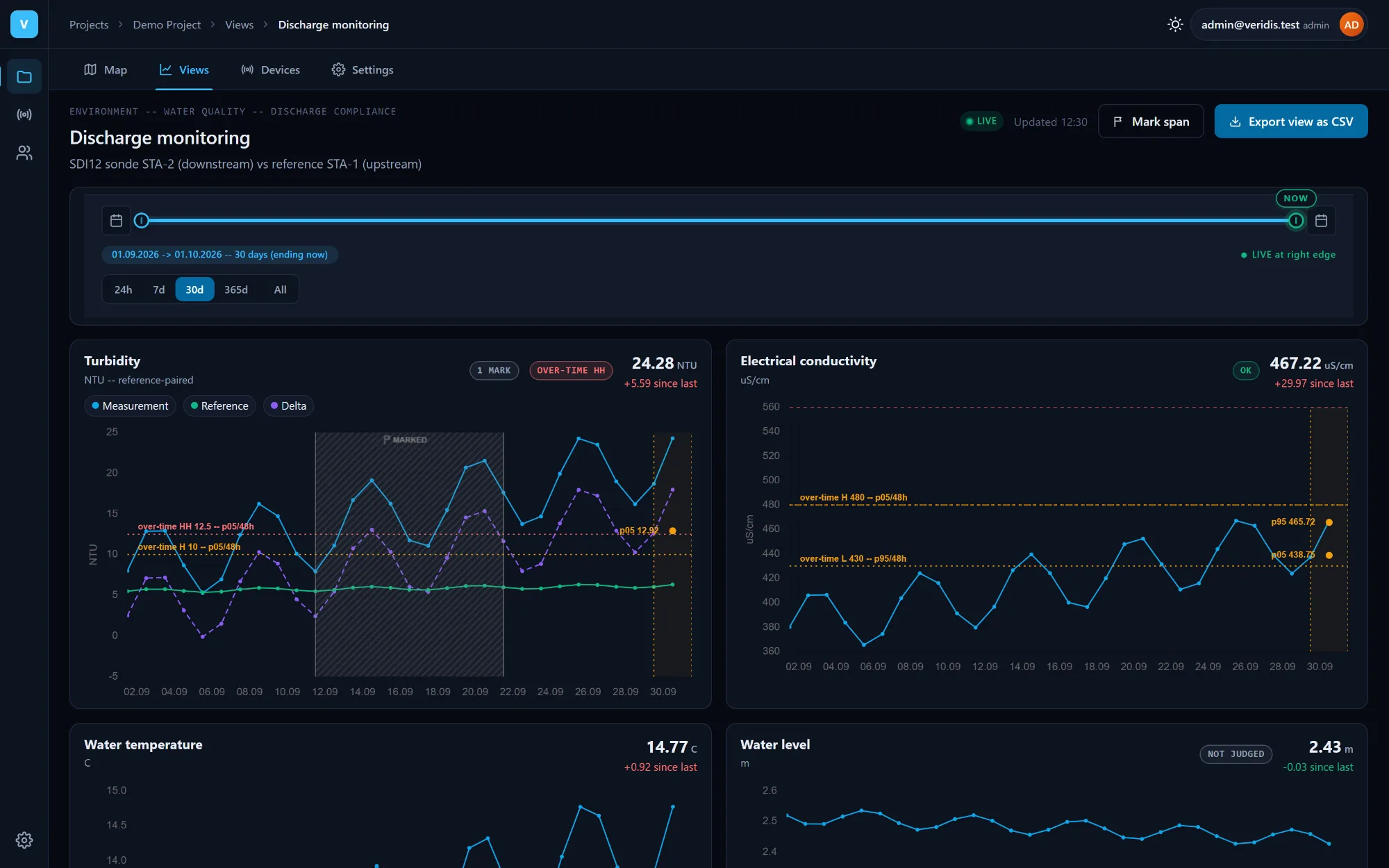
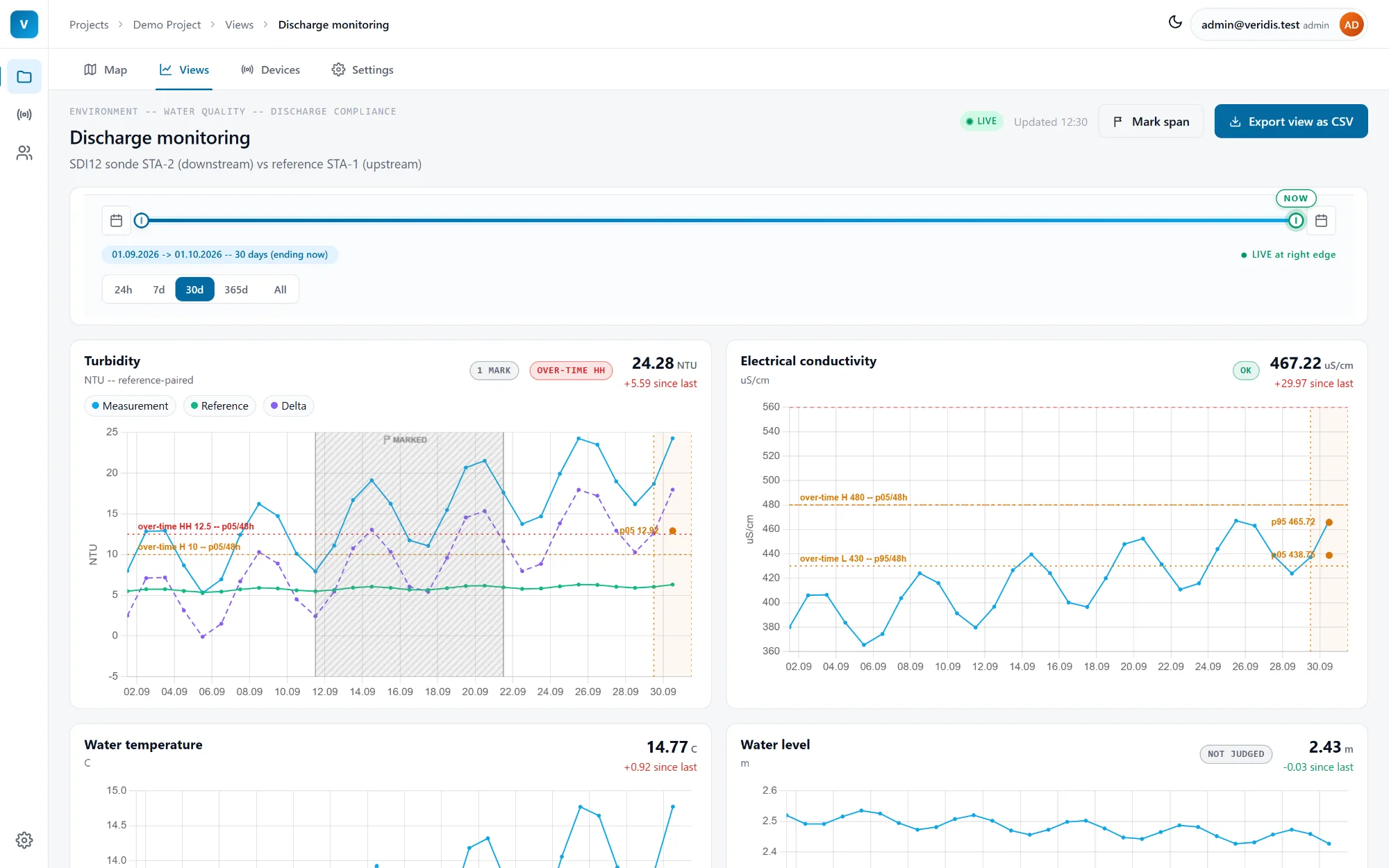
Every project opens on its map, and every view is a set of clear, interactive charts - in a light or a dark theme.
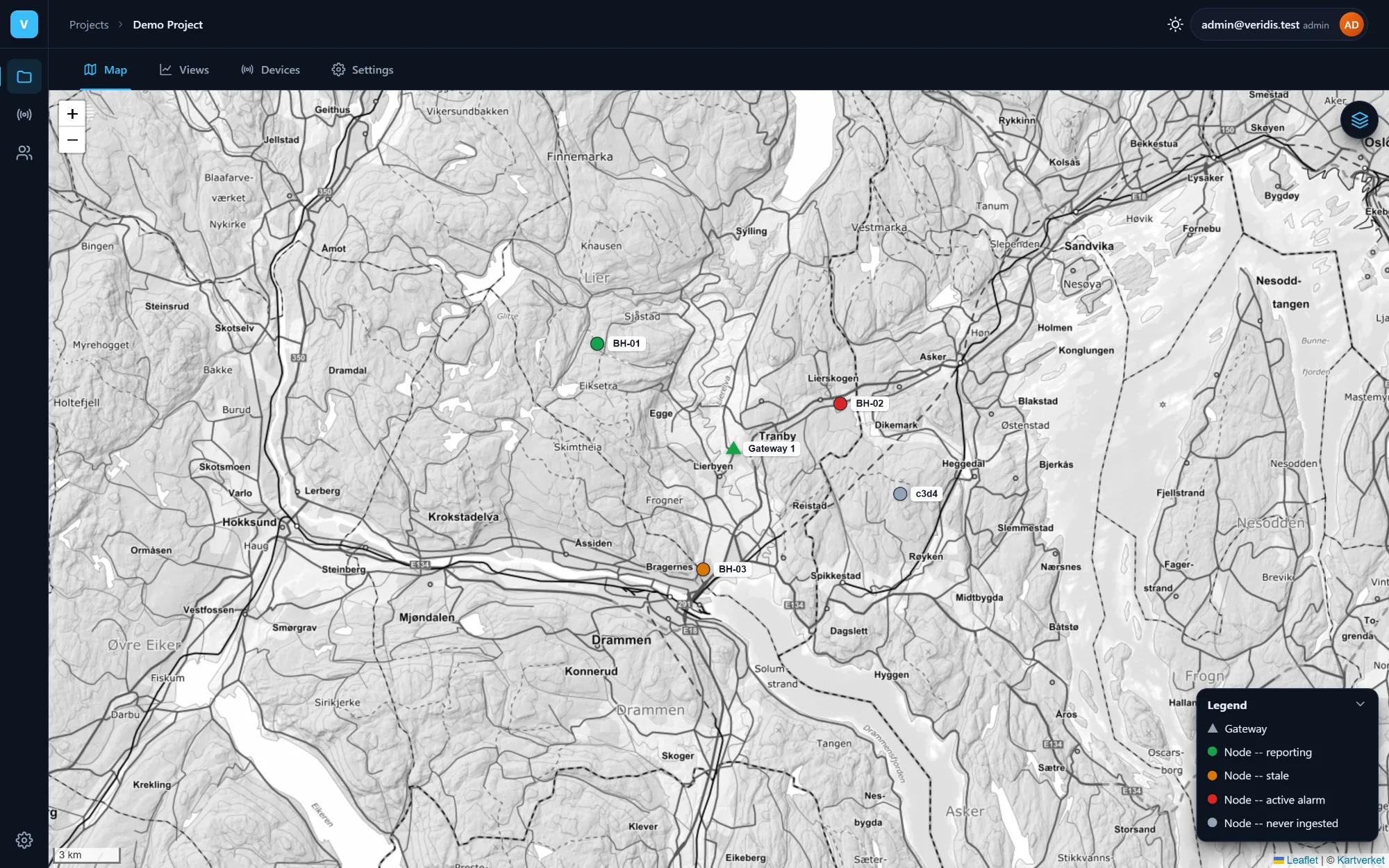
Project map
See where attention is needed
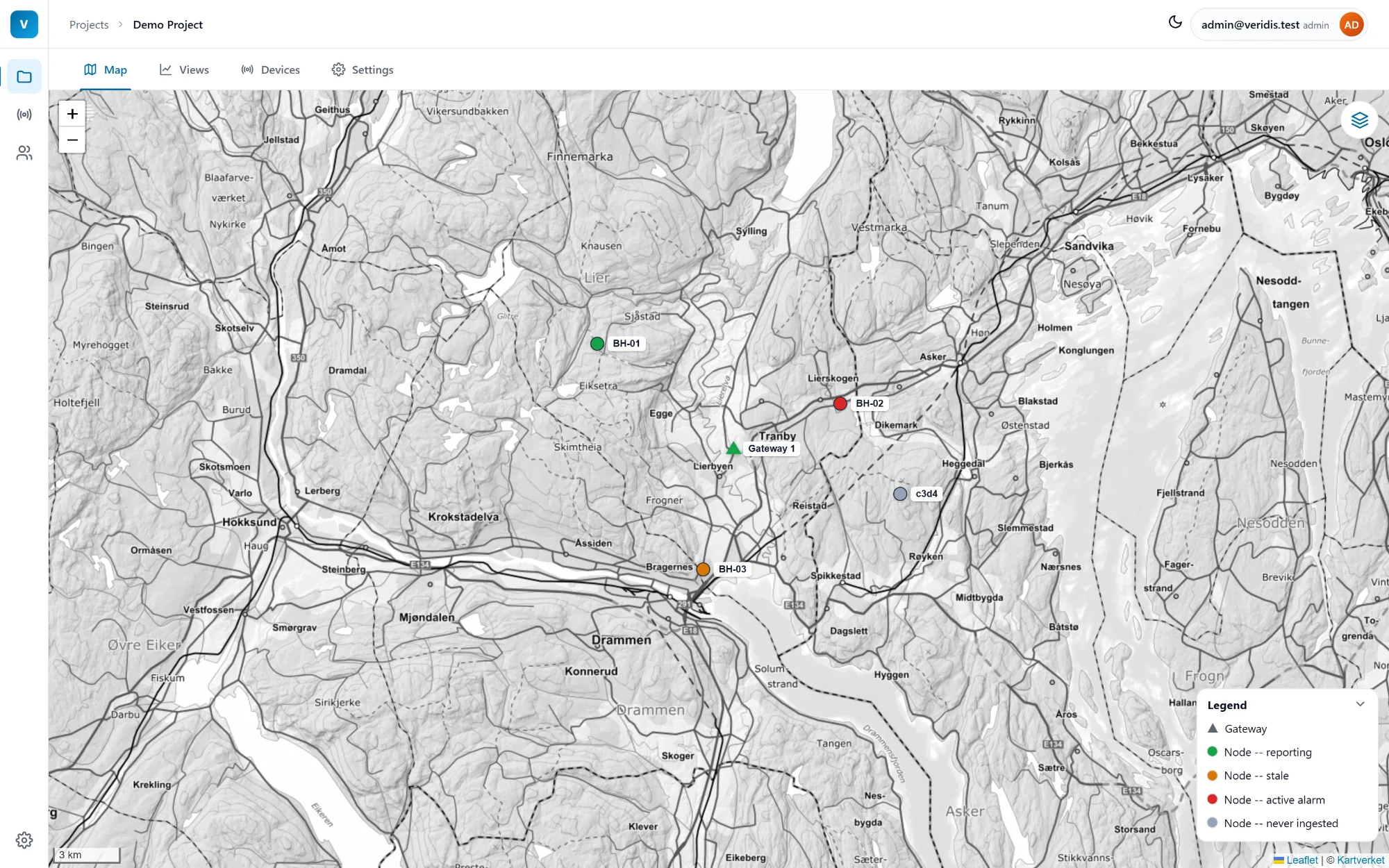
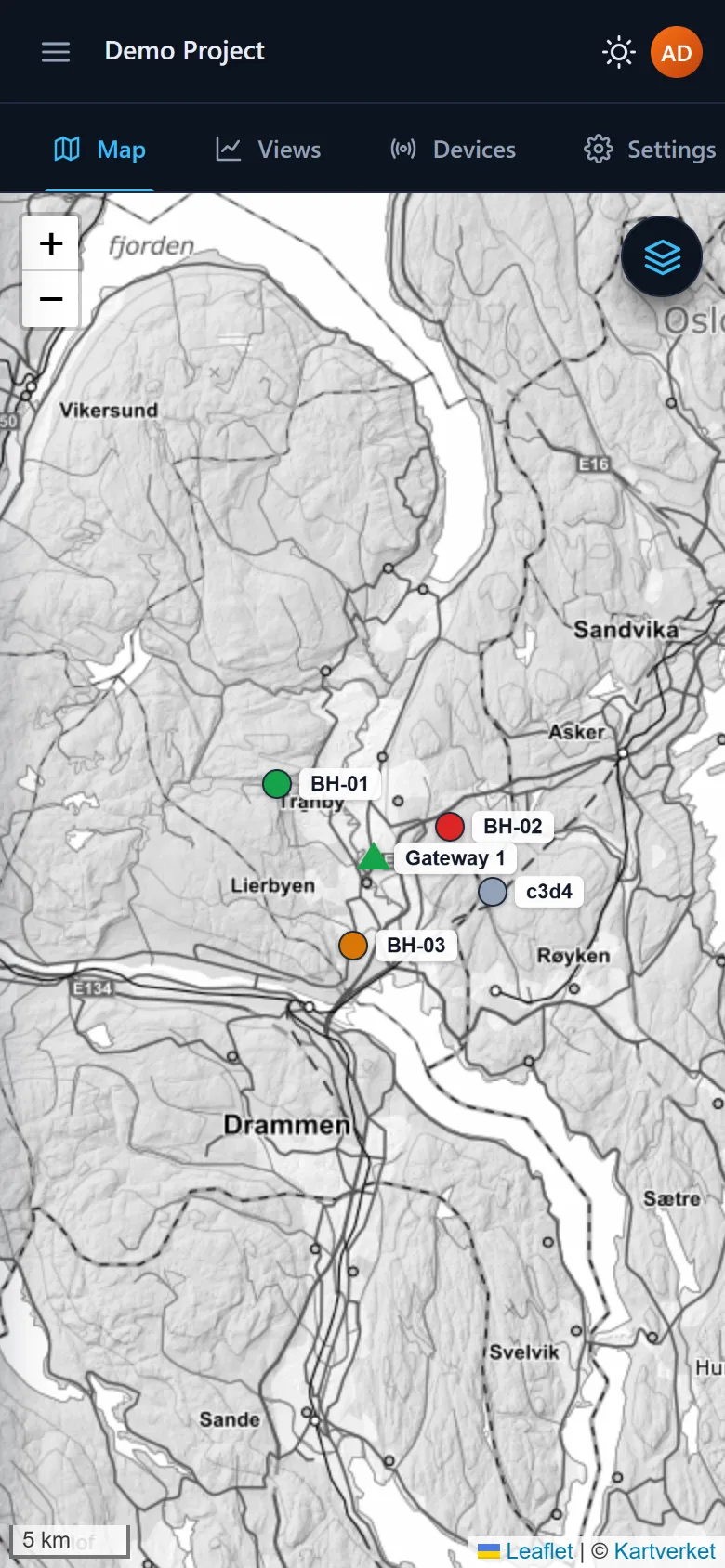
Nodes are drawn as status-coloured markers - reporting, stale, active alarm or never ingested - and gateways as triangles, on Kartverket's topographic map.
- A legend and layer switches for gateways and nodes keep the map readable.
- Admins place devices directly on the map.
- On a phone, the layer switches and the legend open as a bottom sheet.
Drill down
From marker to measurement
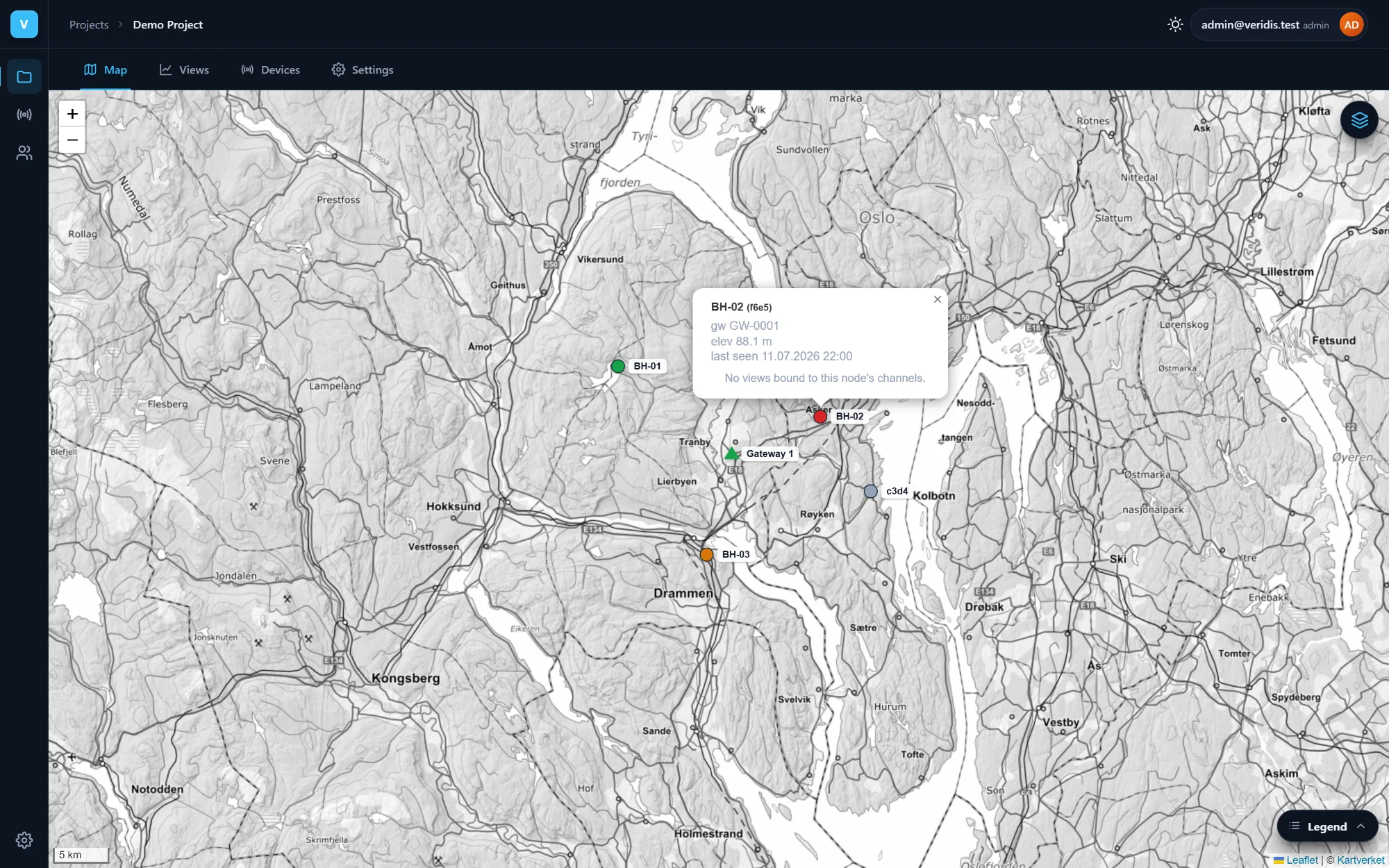
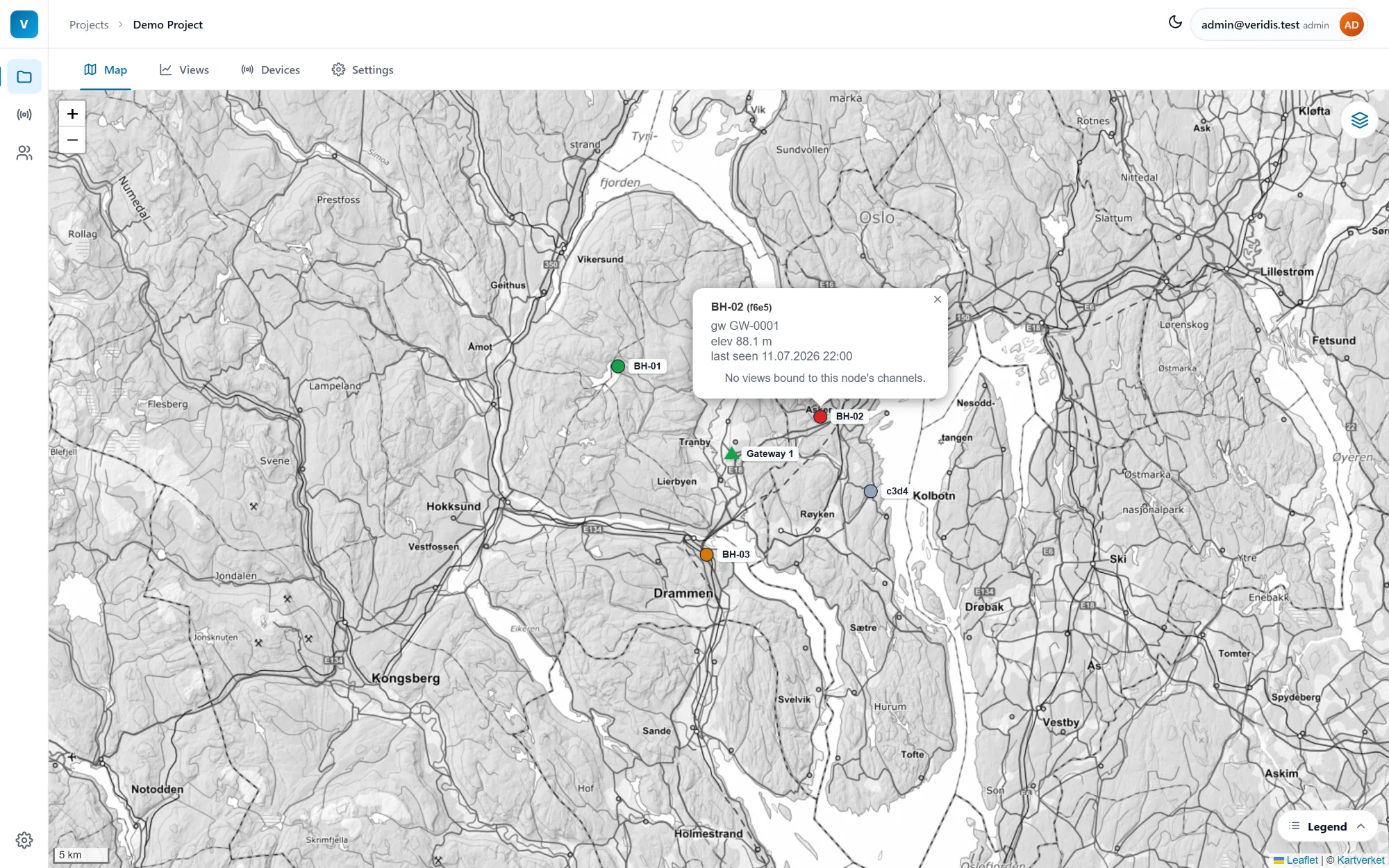
Click a marker to see its gateway, elevation and when it last reported, with shortcuts to the node's chart views.
Charts
Time series that read at a glance
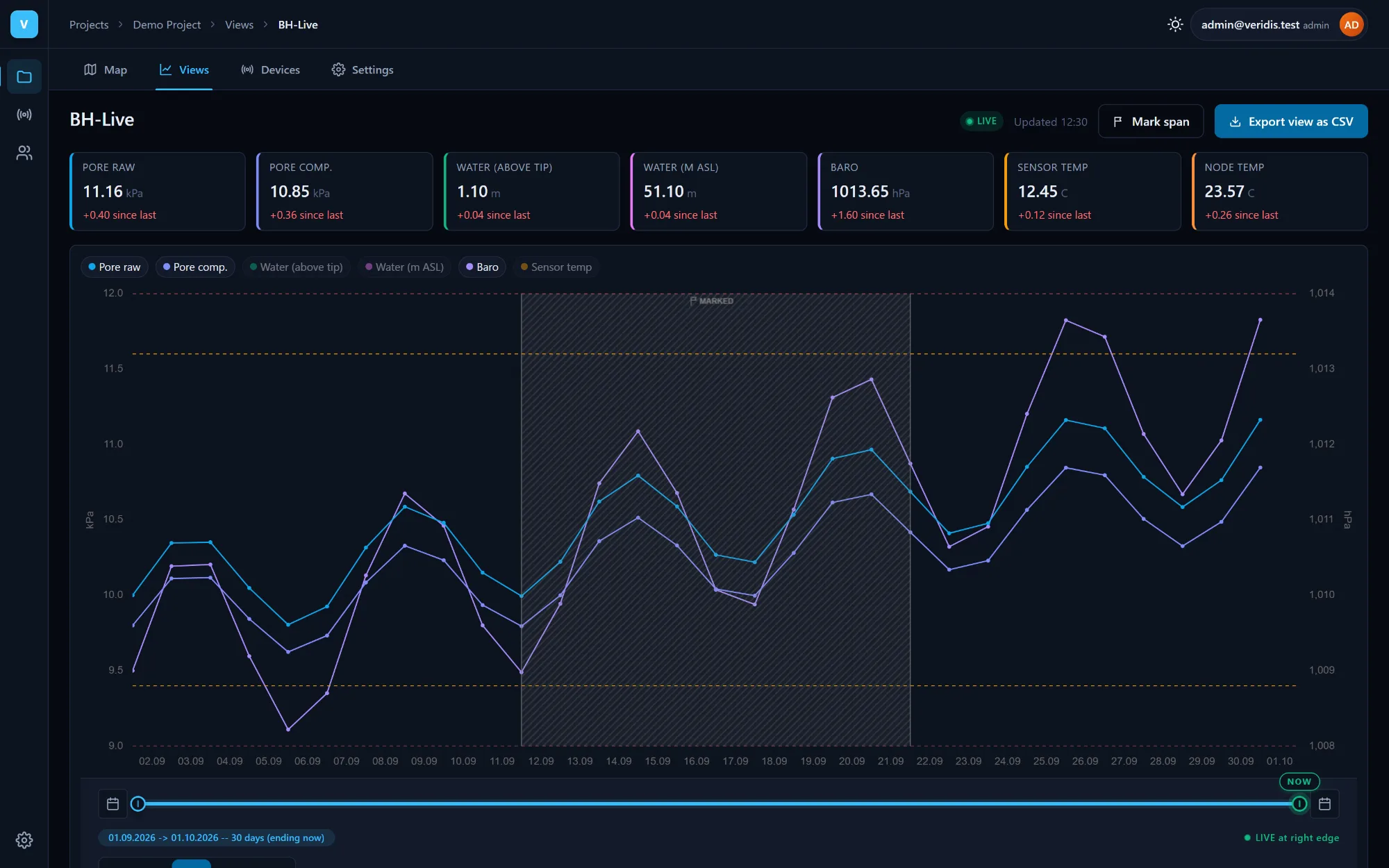
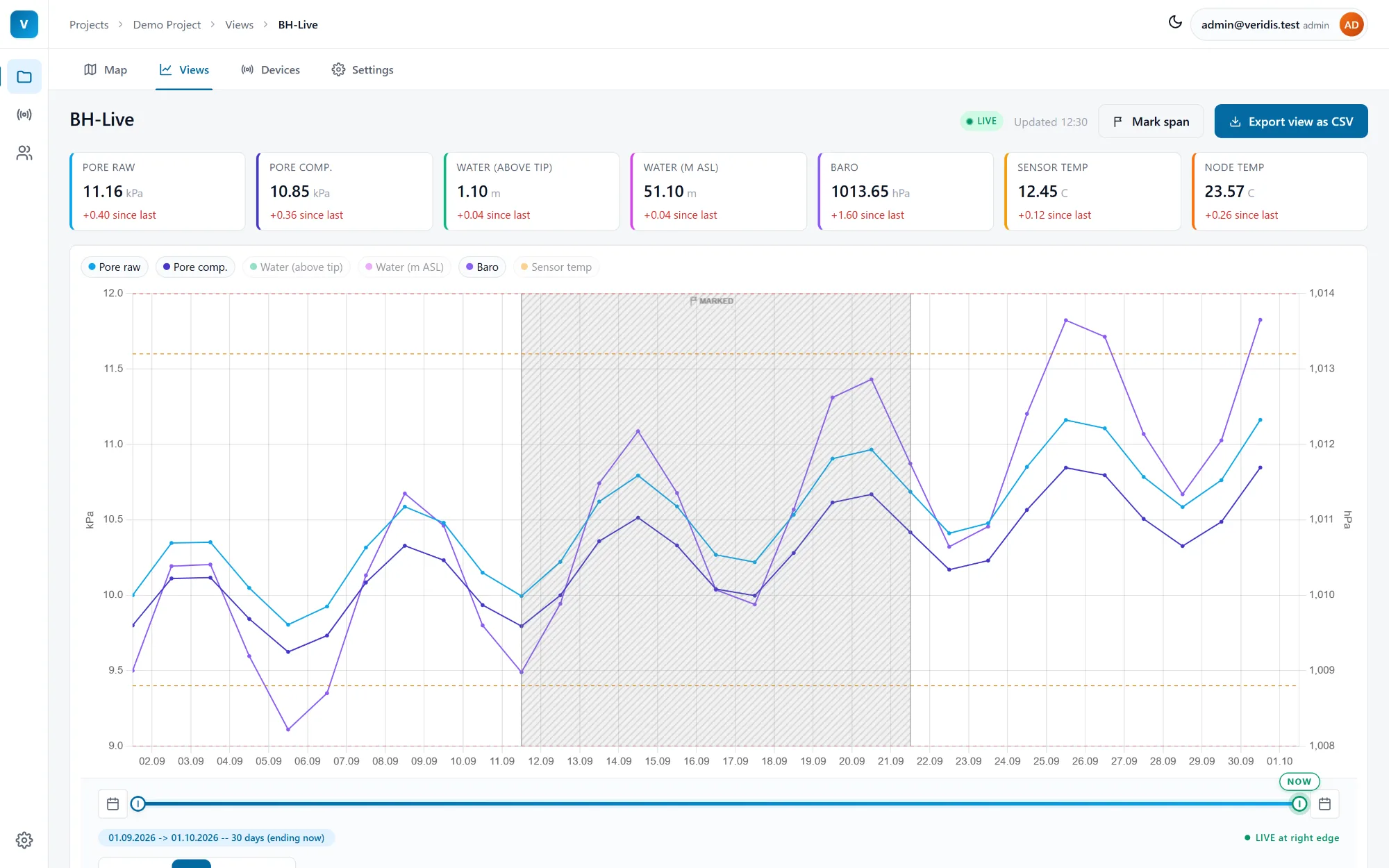
One axis per unit, drag-to-zoom and a time slider with 24h, 7d, 30d, 365d and All presets. Live mode streams new readings as they arrive.
- KPI cards with the change since the last reading.
- Sparkline trends in the list of views.
- Only valid readings are ever shown.
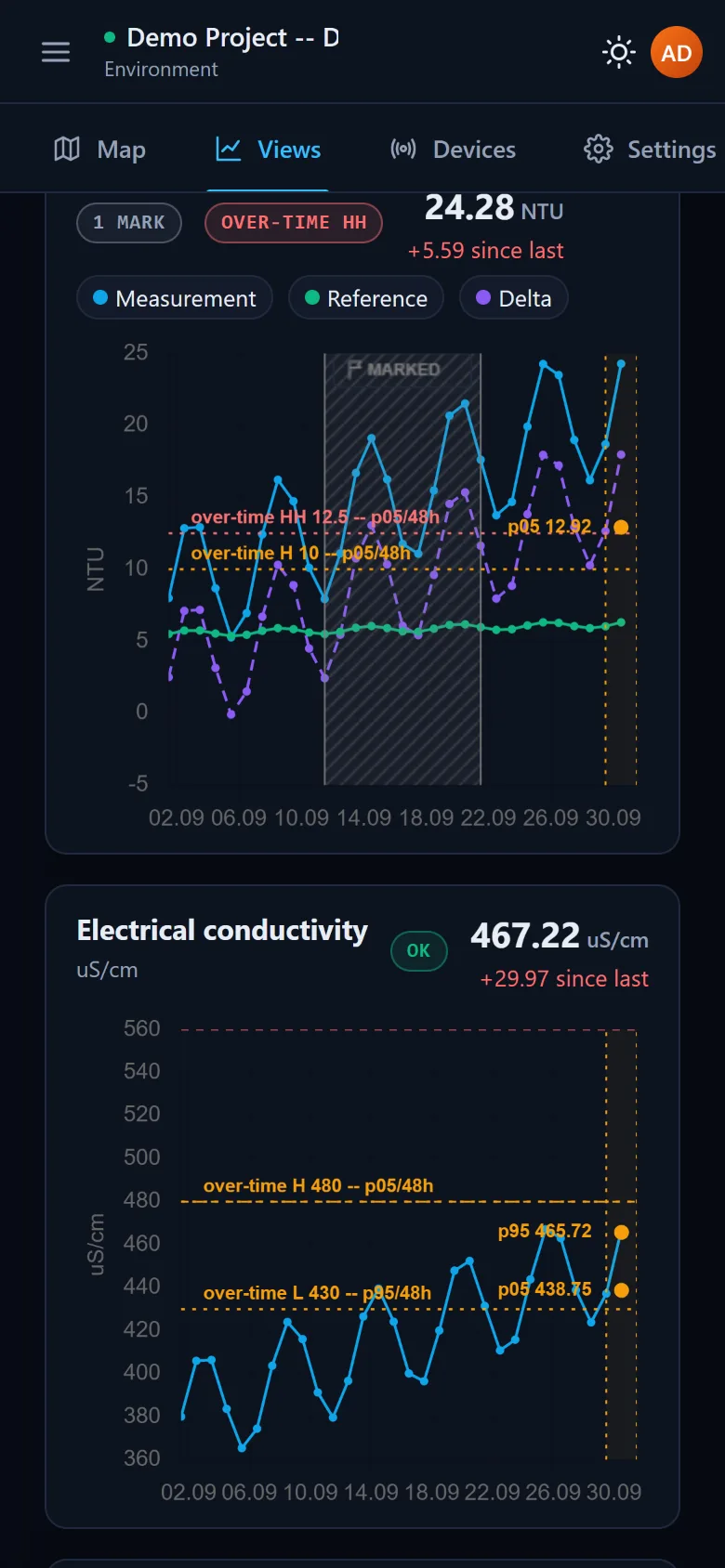
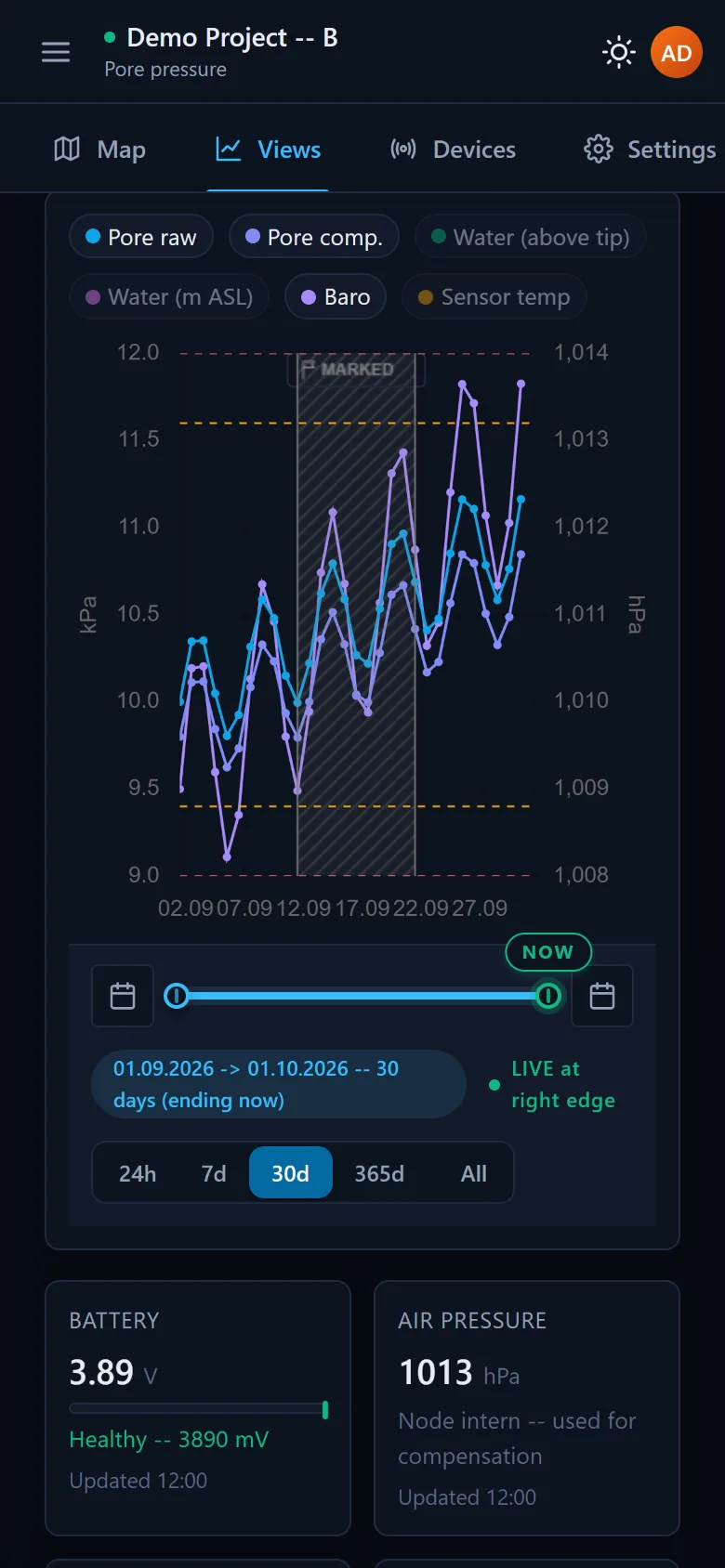
- On a phone Veridis switches to its own layout: a menu drawer replaces the sidebar, the title bar shows the view with a live indicator, and KPI cards, the time slider and the charts reflow to the screen. The phone layout is checked in a real browser on every change to Veridis.
Themes
Light and dark
Veridis comes in a light and a dark theme on desktop and phone, and each browser remembers its choice - for a bright site office, a dark control room or a phone in the field.